
Meet nkernel, our own CAD kernel, at Maker Faire Orlando
NekoCAD now runs on nkernel, our own geometry kernel, about 4x faster than OpenCascade. Come break it at Maker Faire Orlando on November 7 and 8, along with resin and FDM supports that live in your design file.
Maker Faire Orlando · Saturday and Sunday, November 7 and 8, 2026 · 10am to 5pm · Central Florida Fairgrounds, 4603 West Colonial Drive, Orlando
We're bringing NekoCAD to Maker Faire Orlando, and the build at the table will be running two things that didn't exist this summer: our own geometry kernel, which is now the only kernel in NekoCAD, and supports for both resin and FDM, made right in the CAD app. Come sit down, model something, and try to break it.
Meet nkernel
Every CAD app is built on a kernel: the math that turns "extrude this sketch, fillet that edge" into an actual solid. Almost every small CAD project borrows one. We did too. Until this week, NekoCAD ran on OpenCascade (OCCT), the big open-source kernel. Now it runs on nkernel, our own kernel, written in Rust from scratch.
Why bother? The kernel decides whether your fillet works or throws an error, whether a STEP file from a friend's CAD program opens clean, and how long you wait after every change. If we own the kernel, we can fix the problems you hit ourselves, and we don't have to wait for someone else's release.
First: does it get the right answer?
"We wrote a kernel" is easy to say, so here's how we keep score. OCCT has about 16,000 test scripts, collected over decades. Most of them aren't everyday parts. They're the weird cases that once broke something: two faces that almost touch, a fillet that runs into a corner, a STEP file from an exporter with a bug. They exist to break kernels.
We run nkernel through all of them. For each group that matches a feature in NekoCAD, the bar was 90% or better. Every group clears it:
| Feature | Hard cases passed |
|---|---|
| Sewing | 97.8% |
| Extrude and revolve | 97.1% |
| Sweeps and lofts | 96.7% |
| Booleans (join, cut, intersect) | 94.9% |
| Offset and shell | 93.9% |
| Draft | 93.8% |
| Meshing for export | 92.4% |
| STEP import and export | 92.1% |
| Fillets and chamfers | 90.5% |
So 90.5% for fillets doesn't mean one fillet in ten fails on your part. It means nkernel gets through 90.5% of the nastiest fillet cases anyone has collected, and we're working through the rest. A pass means a valid solid with the right volume and area. It doesn't mean a copy of OCCT's internals. Where we found a better way, we took it.
The test that mattered most to us was our own files. Before we switched, every demo file and template had to rebuild on nkernel with the same volumes and areas as on OCCT. 293 of our 294 demo files and all 52 templates do.
Then: is it fast?
We took the 349 kernel tests that NekoCAD's own features run (Booleans, fillets, STEP import, meshing, shells, and the rest) and ran each one on both kernels: same machine, same WebAssembly runtime, one warm-up and five timed runs each.
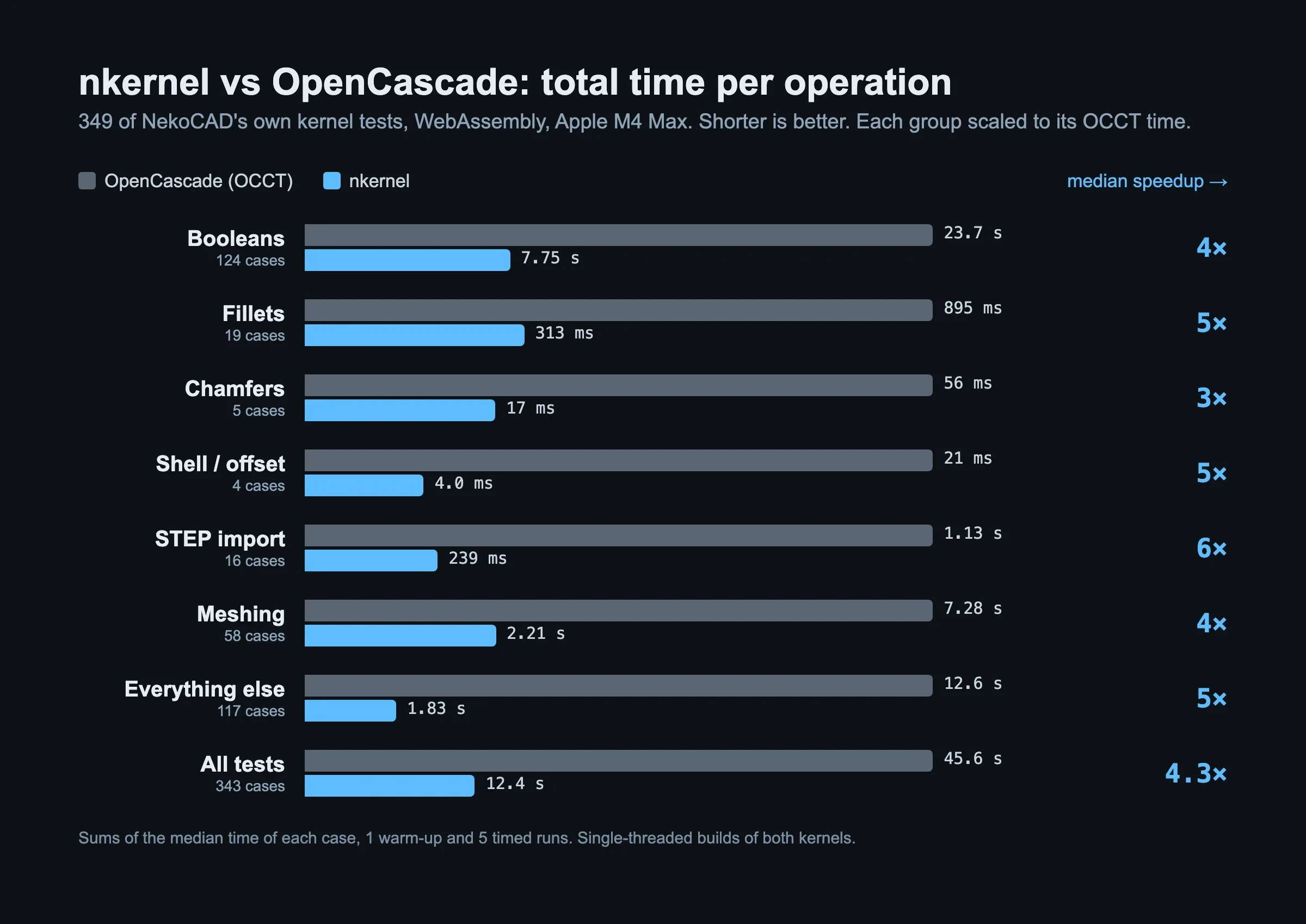
| Operation | Cases | OCCT | nkernel | Faster by |
|---|---|---|---|---|
| Booleans | 124 | 23.7 s | 7.75 s | 4× |
| Fillets | 19 | 895 ms | 313 ms | 5× |
| Chamfers | 5 | 56 ms | 17 ms | 3× |
| Shell and offset | 4 | 21 ms | 4.0 ms | 5× |
| STEP import | 16 | 1.13 s | 239 ms | 6× |
| Meshing | 58 | 7.28 s | 2.21 s | 4× |
| Everything else | 117 | 12.6 s | 1.83 s | 5× |
| All tests | 343 | 45.6 s | 12.4 s | 4.3× |
"Faster by" is the median case of each group. Add up every test and it's 45.6 seconds on OCCT against 12.4 on nkernel, 3.7× faster end to end. Six tests that take under 0.05 ms on both kernels are left out.
Some highlights:
- The biggest win: a boundary surface that blends a square into an ellipse and cuts a block. 2.8 seconds on OCCT, 87 ms on nkernel, 32× faster
- The worst case: one chamfer test is slower on nkernel, 1.35 ms against 0.80 ms. It's bookkeeping, not geometry, and you won't feel half a millisecond. Every other case is faster
- STEP files, the thing you import most from other CAD programs, show the biggest group win: about 6× faster
It's also smaller. The kernel you download is 2.1 MB instead of 7.5 MB, so the app is ready to model sooner on a slow connection, and the desktop app is about 97 MB lighter.
These numbers are from one fast laptop (Apple M4 Max), in WebAssembly, the same build the app uses. Your machine is probably slower than ours, but both kernels slow down together, so the gap should look about the same.
At the table, every model you touch runs on nkernel. Bring a part that broke your CAD app. If it breaks ours, we want it.
Supports, where you designed the part
Here's the annoyance: you tweak a part in CAD, export it, open the slicer, and support the whole thing again from scratch. Every. Single. Time.
In NekoCAD, supports live in your design file, next to the model. Change the part and the supports move with it. A tip that can't find its surface anymore turns orange and shows up in a list, so nothing disappears without you knowing.
Resin
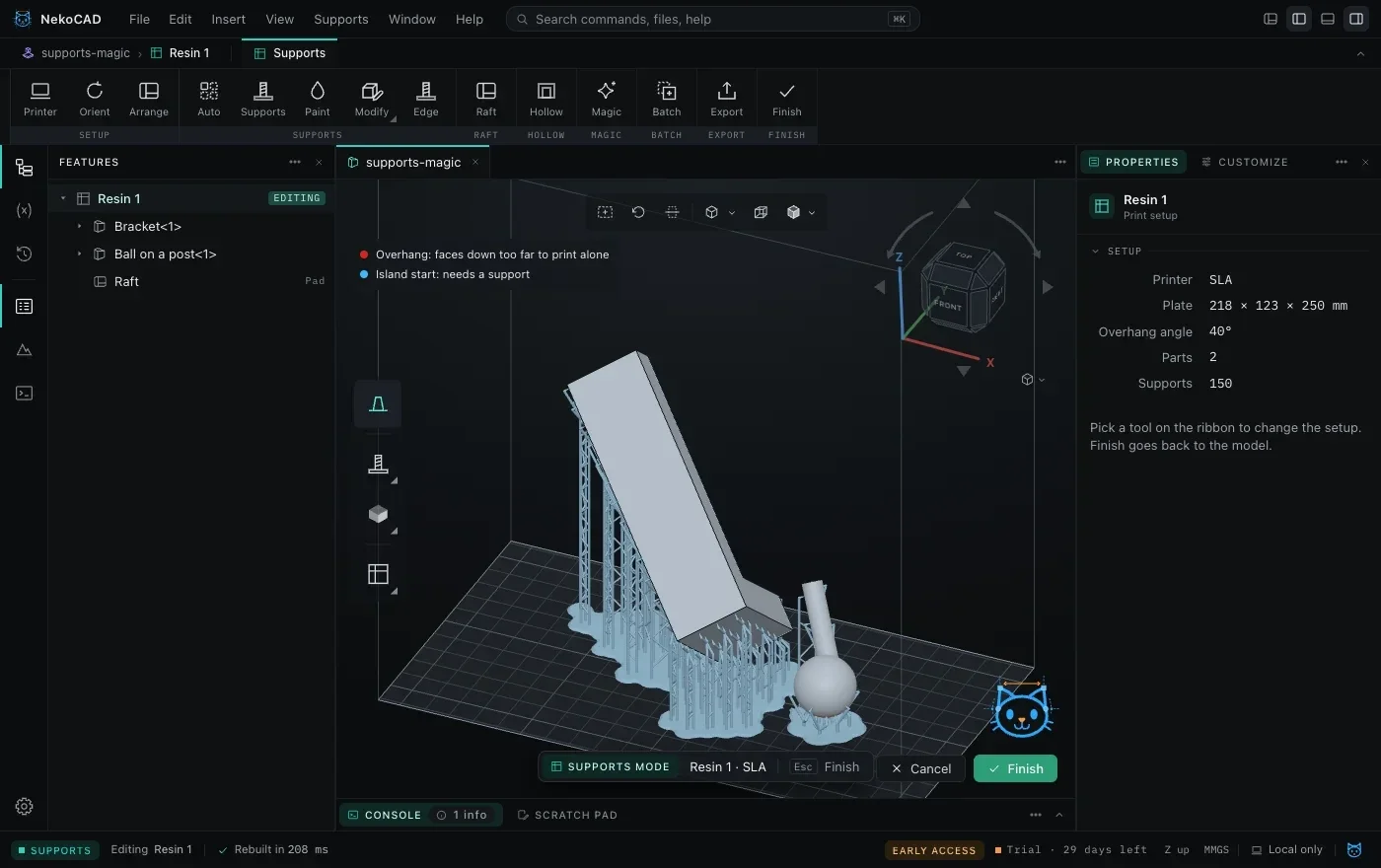
- Auto supports with Light, Medium, and Heavy presets, trunks, and braces. We tuned the defaults against real exports from a popular resin slicer, on the same parts
- Magic (press M): orient, support, optimize, brace, and add a raft in one click, all of it one undo step
- Auto orient with a goal (fewest supports, least peel, lowest height), with three options to pick from
- Hollowing with drain holes, a suction cup check, and blockers
- Eleven raft types, edge supports, paint-on supports, and mini supports for the tiny gaps
- Batch: point it at a folder of STLs and get print-ready files back
FDM
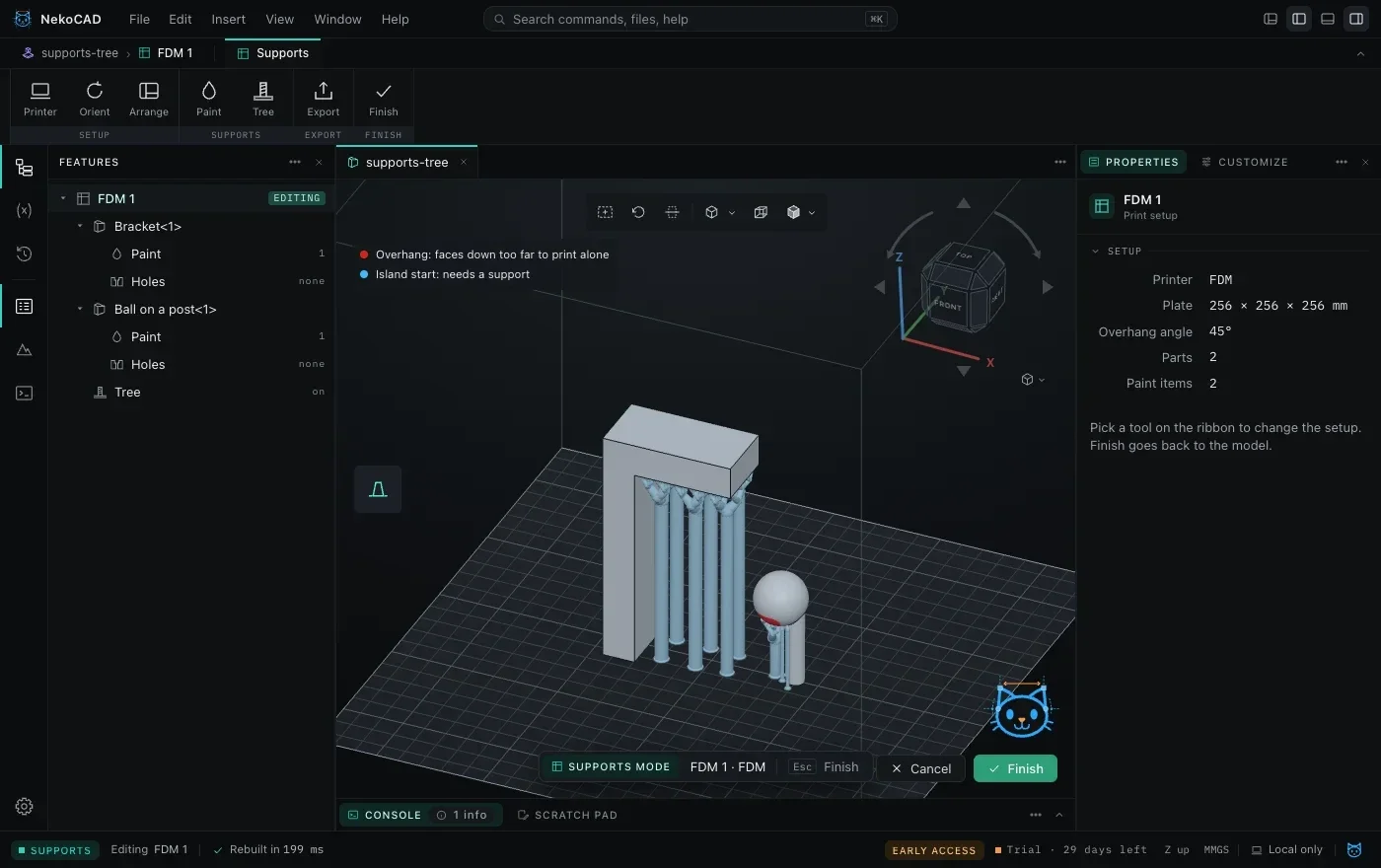
- Paint where you want supports, and where you don't. Enforce and block, with a brush or a whole face at a time
- Tree supports grown in the app
- Export straight to your slicer: PrusaSlicer, OrcaSlicer, Bambu Studio, and Cura get a 3MF that already has your paint on it
Bring a part. We'll support it at the table, and if it's small, we might print it.
What else you'll see
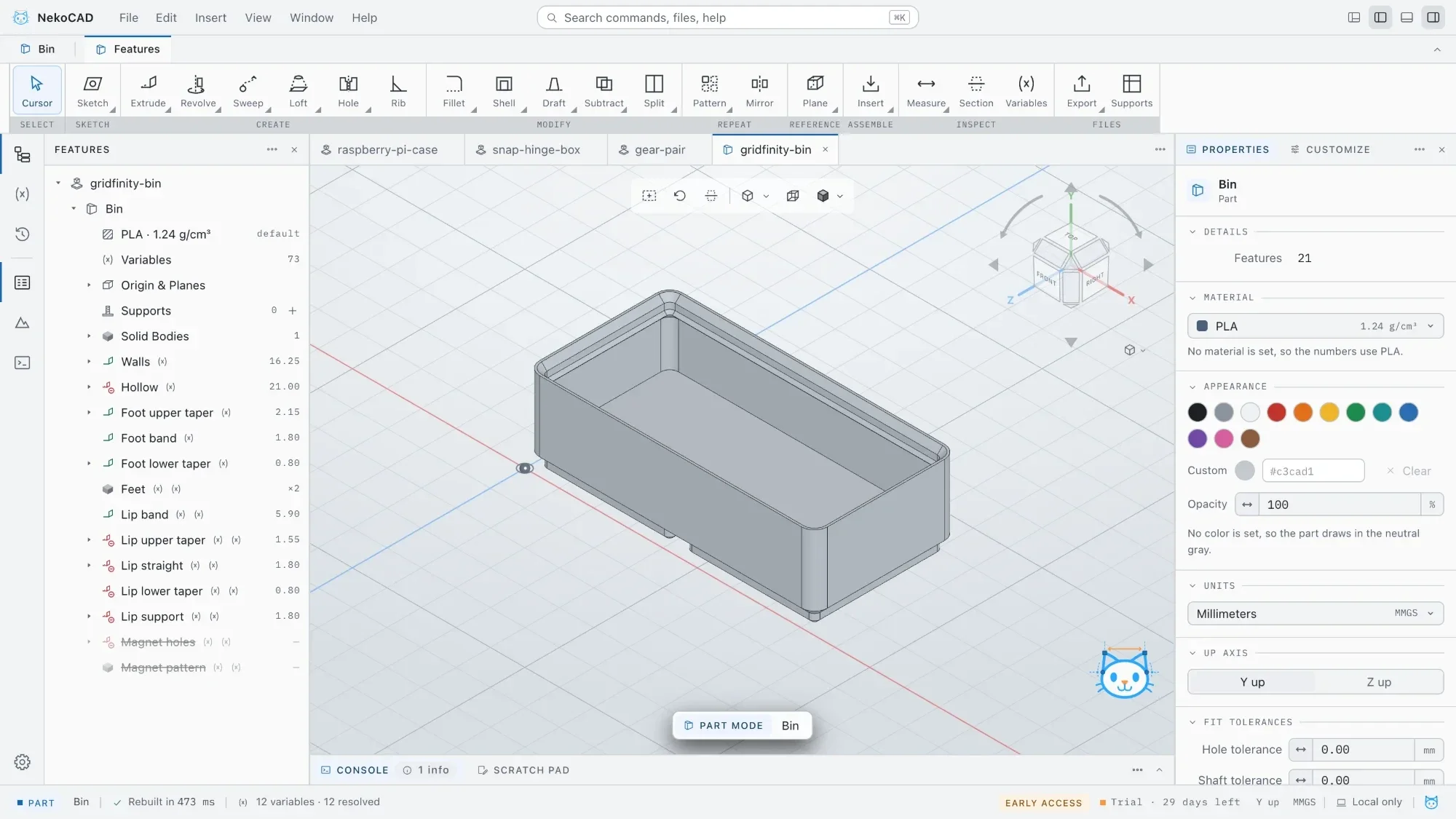
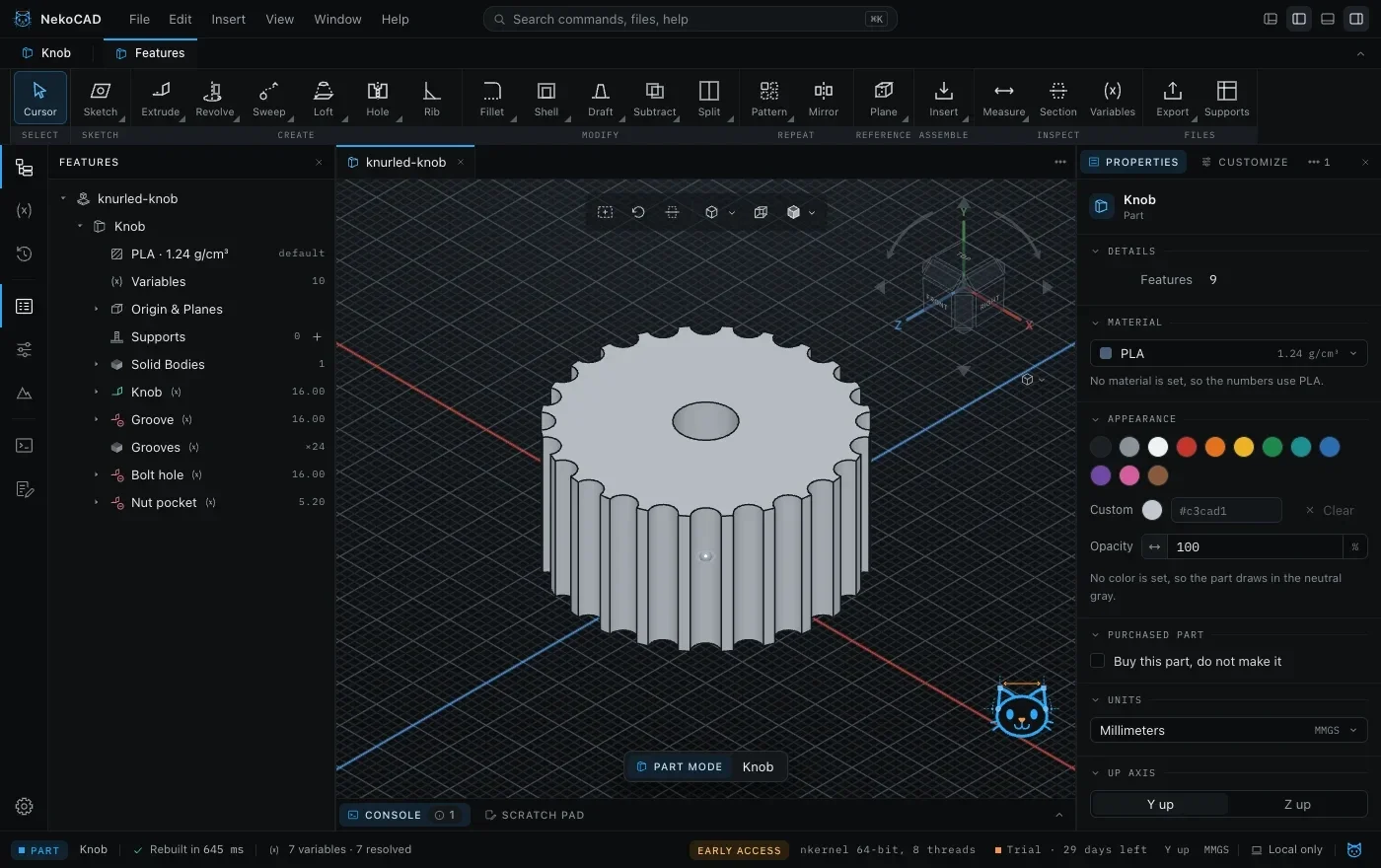
- The parts we've printed from NekoCAD: a Gridfinity bin, a snap-hinge box, a Raspberry Pi case, a gear pair, a knurled knob, a dice set
- The built-in MCP server: point your own AI agent, even a local model on your laptop, at NekoCAD and have it drive the app
- A real feature tree, sketches with constraints, and assemblies, made for makers and small shops
Where we're at
NekoCAD is in closed beta. Windows, macOS, and Linux. Nothing is for sale yet. If you want in, sign up below and we'll let you know when it opens up.
See you at the Faire.
Get the first build
NekoCAD is parametric CAD for makers: buy once, own it forever, and it works offline*. Join the waitlist, and we send you an email when it is ready.
* Works offline between license checks. A license checks in with nekocad.com every 30 days, and the trial every 7 days, when the computer is online.